 Visual Paradigm Desktop |
  Visual Paradigm Online


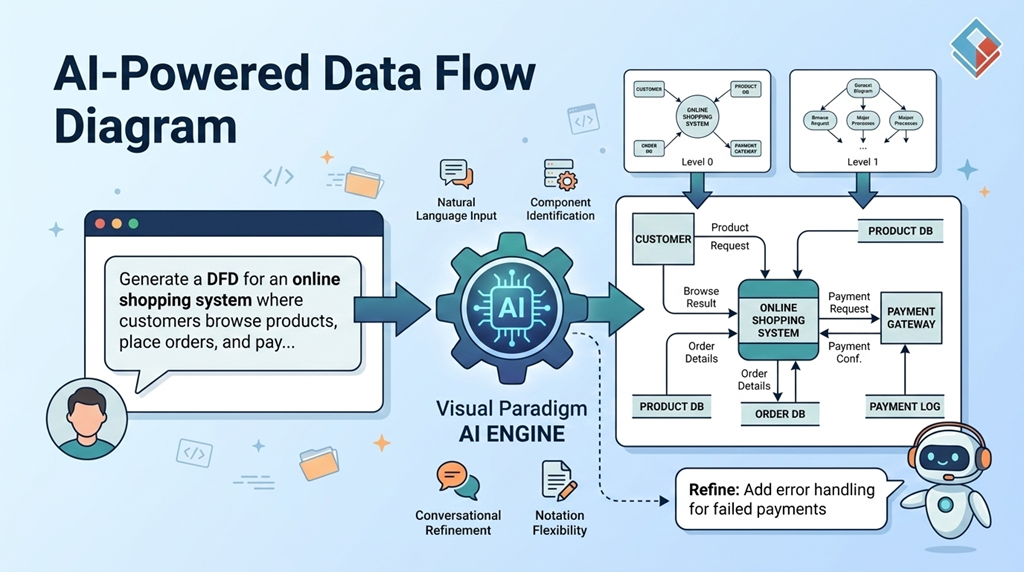
A Data Flow Diagram (DFD) is a visual modeling technique used to represent the flow of data through a system. It provides a clear, structured view of how information is input, processed, stored, and output within a system. DFDs are widely used in systems analysis and design to communicate system logic to stakeholders, developers, and business analysts.
Key components of a DFD include:
DFDs are typically created at different levels of abstraction—Level 0 (context diagram), Level 1 (major processes), and Level 2 (detailed sub-processes)—to progressively refine system understanding.
Traditionally, creating DFDs required manual drawing, careful layout planning, and deep familiarity with notation standards like Gane-Sarson, Yourdon & DeMarco, or Yourdon & Coad. This process was time-consuming, error-prone, and often limited by the skill level of the designer.
With the integration of Generative AI, modern modeling tools like Visual Paradigm have revolutionized the DFD creation process. By enabling users to generate structured diagrams from natural language, AI-powered DFD tools significantly lower the barrier to entry while maintaining professional quality and compliance.
Visual Paradigm is a comprehensive modeling and design platform supporting multiple modeling languages, including UML, SysML, BPMN, and DFD. It has evolved into a full lifecycle solution for software and systems development, now enhanced with AI-driven diagram generation.
Visual Paradigm’s AI engine enables users to generate accurate, standardized DFDs through natural language input—making it accessible to both technical and non-technical users.
Users can describe a system in plain English and let the AI generate a complete DFD. For example:
“Generate a DFD for an online shopping system where customers browse products, place orders, and pay via a payment gateway. Admins manage inventory and view sales reports.”
The AI interprets the description and constructs a DFD with:
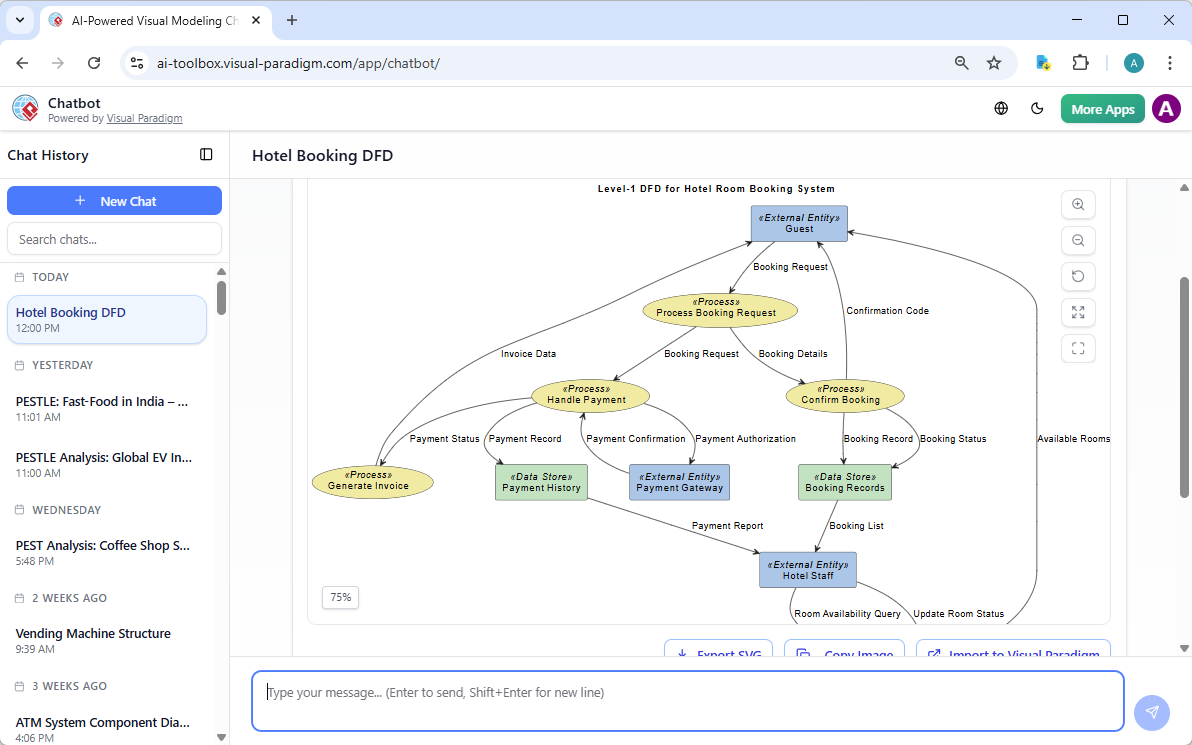
Users can interact with an AI Chatbot to generate a DFD. For example: “Generate a level 1 DFD for a hotel reservation system.”
3. OpenDocs
Visual Paradigm OpenDocs is a web-based, AI-powered knowledge management and documentation platform designed for teams to create, organize, and share documents, diagrams, and project plans. It functions as a “living library,” integrating text with visual modeling tools like flowcharts, PERT charts, and mind maps.
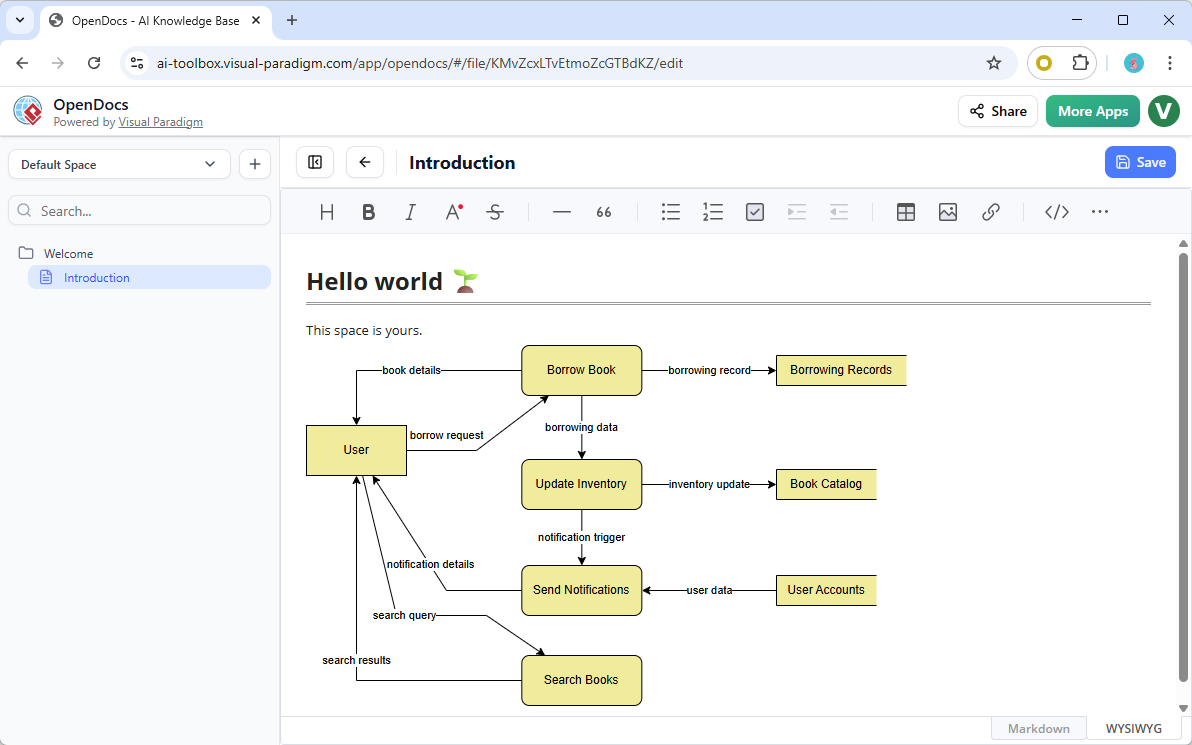
You can create DFDs with OpenDocs, both manually via the diagram editor or via AI:
| Benefit | Description |
|---|---|
| Speed and Efficiency | Reduces manual drafting time by 80–90%, enabling rapid prototyping from concept to diagram in seconds. |
| Logical Focus | Automates layout and symbol placement, allowing designers to focus on system logic and data integrity. |
| Consistency and Compliance | Ensures adherence to formal standards, minimizing human errors in notation or data flow mapping. |
| Accessibility | Empowers non-experts (e.g., business analysts, students) to create professional-quality diagrams without technical training. |
| Foundation for Detail | Generated DFDs are fully editable native models, serving as a foundation for further decomposition into Level-1 or Level-2 sub-diagrams. |
Let’s walk through how to generate a DFD for an online shopping system using Visual Paradigm’s AI features in VP Desktop.
“Generate a DFD for an online shopping system where customers can browse products, add items to a cart, and pay via a payment gateway. Admins can manage product inventory and view sales reports. Include error handling for failed payments.”
The AI parses the prompt and generates:
Touch up the layout and make necessary changes in the generated DFD (e.g. add, modify and delete shapes).
The final DFD can be exported as images or reports.
The integration of Generative AI into DFD modeling tools like Visual Paradigm marks a significant shift in systems design. By enabling natural language input, automatic component identification, conversational refinement, and notation flexibility, AI-powered DFDs empower users to create accurate, professional diagrams quickly and efficiently.
Whether you’re a developer, systems analyst, or business stakeholder, AI-assisted DFD generation allows you to focus on what the system does—rather than how to draw it.
 Mastering the Business Model Canvas with AI: A Step-by-Step Guide using Visual Paradigm
 Transforming Strategic Planning: The Ultimate Guide to the SWOT Analysis Canvas
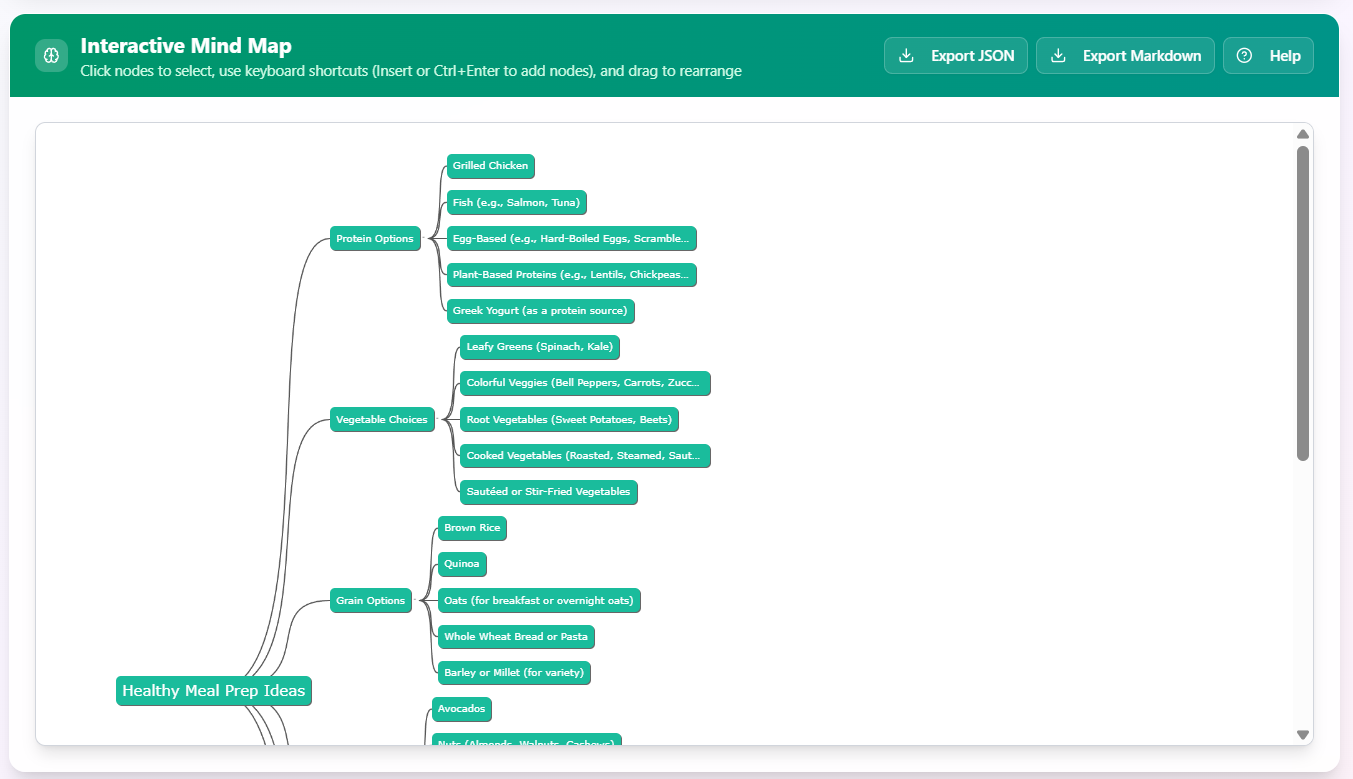 Case Study: Implementing Healthy Meal Prep Ideas Using an AI-Generated Mind Map
 Online AI Tree Diagram Maker: Optimizing Project Requirements