
Now Reading: The Ultimate Guide to the Eisenhower Matrix: Prioritize with AI Precision
-
01
The Ultimate Guide to the Eisenhower Matrix: Prioritize with AI Precision
The Ultimate Guide to the Eisenhower Matrix: Prioritize with AI Precision
Introduction to Strategic Prioritization
In the fast-paced world of business and personal management, the distinction between being “busy” and being “productive” is often lost. Professionals frequently find themselves drowning in a sea of tasks, reacting to immediate demands while losing sight of long-term goals. This is where the Eisenhower Matrix becomes an indispensable tool. Also known as the Urgent-Important Matrix, this framework provides a clear method for organizing tasks based on their urgency and importance.
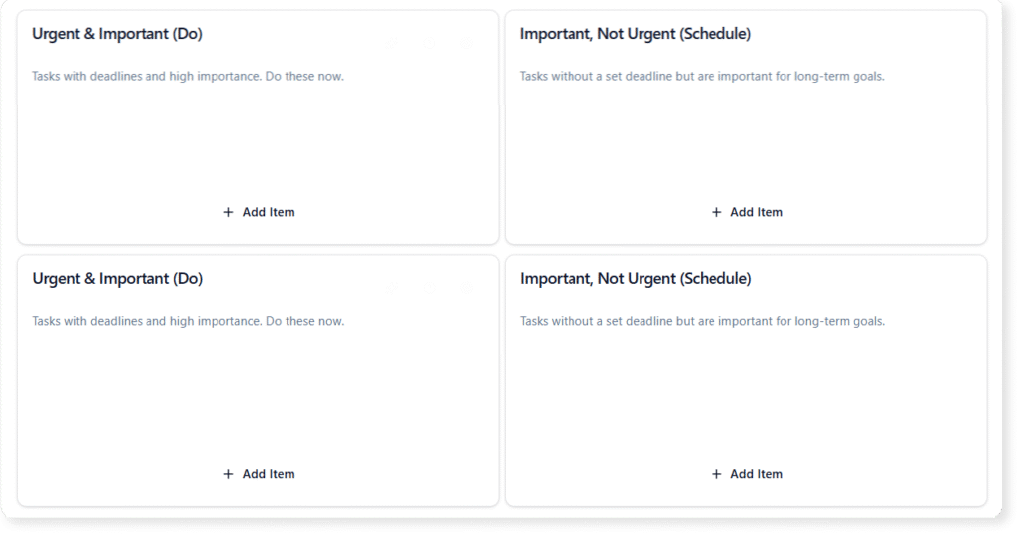
While the concept has existed for decades, modern technology has revolutionized its application. Visual Paradigm’s AI-powered Canvas toolkit elevates this traditional framework from a simple grid to a dynamic, intelligent strategic partner. This guide will explore the core mechanics of the Eisenhower Matrix and demonstrate how leveraging AI can transform your planning process from strategy to execution.
Key Concepts: Urgent vs. Important
Before plotting tasks on a canvas, it is critical to understand the foundational definitions that drive the Eisenhower Matrix. Misidentifying a task’s nature is the most common mistake in prioritization.
- Urgent Tasks: These activities require immediate attention. They are often reactive, such as a ringing phone, a looming deadline, or a crisis. Urgent tasks put us in a “fire-fighting” mode, demanding action now.
- Important Tasks: These activities contribute to your long-term mission, values, and goals. They may not yield immediate results, but they are crucial for growth, strategy, and prevention. Important tasks put us in a “building” mode.
The matrix intersects these two dimensions to create four distinct quadrants of productivity.
Decoding the Four Quadrants
To effectively use the matrix, one must understand how to categorize tasks into the following four boxes:
1. The Do Quadrant (Urgent & Important)
These are critical tasks with impending deadlines. Examples include resolving a server outage, submitting a project due today, or handling a PR crisis. These must be executed immediately.
2. The Decide Quadrant (Not Urgent & Important)
This is the “Strategic Sweet Spot.” These tasks are vital for success but do not press for immediate action. Examples include strategic planning, skill development, and relationship building. Effective leaders spend most of their time here to prevent tasks from becoming urgent later.
3. The Delegate Quadrant (Urgent & Not Important)
These tasks demand attention but do not contribute significantly to your core goals. They are often interruptions, such as routine emails, certain meetings, or administrative paperwork. The goal here is to assign these to others or automate them.
4. The Delete Quadrant (Not Urgent & Not Important)
These are distractions. They offer no value and have no deadline. Examples include doom-scrolling social media, excessive analysis paralysis, or busywork. These should be eliminated entirely.
VP AI: How Visual Paradigm AI Enhances Prioritization
Visual Paradigm has transformed the static experience of drawing a matrix into an interactive, AI-driven workflow. Using the “Ultimate Business Canvas Toolkit,” users can automate the heavy lifting of strategic planning. Here is how VP AI specifically optimizes the Eisenhower Matrix experience:

AI Canvas Generation
Staring at a blank page can be daunting. With Visual Paradigm, you can simply type a concept or a project name, and the AI-powered canvas maker will instantly craft a detailed, context-aware layout. It populates the matrix with suggested tasks relevant to your specific industry, providing a solid foundation for further development.
Smart AI Ideation Support
If you are unsure where a task fits or if you are missing critical steps in a project, the AI brainstorming assistant offers intelligent recommendations. It can suggest tasks you might have overlooked, helping you discover insights and ensure comprehensive coverage of your workload.
Focus, Refine, and Organize
The platform offers a “Focus Mode” that allows you to concentrate on one quadrant or section at a time, eliminating visual clutter. You can enhance your canvas with structured notes, tags, color highlights, and linked references. This turns a simple prioritization grid into a robust project management hub.
AI Strategy Analysis Tools
Beyond simple placement, VP AI can convert your prioritized list into actionable insights. You can run automated assessments—such as converting your “Decide” quadrant into a roadmap or performing a risk evaluation on your “Do” quadrant—enabling smarter, data-backed decisions.
Guidelines for Implementation
Follow these step-by-step rules to implement the Eisenhower Matrix effectively using Visual Paradigm’s toolkit:
- Brainstorm First: Before categorizing, list every task currently on your plate. Use the VP AI ideation tool to ensure you haven’t missed invisible tasks like “maintenance” or “team check-ins.”
- Categorize Ruthlessly: Drag and drop items into the four quadrants. Be honest about what is truly “Important.” If everything is important, nothing is.
- Limit the ‘Do’ Quadrant: Try to keep the top-left quadrant (Do) to no more than 3-5 major items per day to prevent burnout.
- Schedule the ‘Decide’ Quadrant: Do not just list these items; assign specific times in your calendar to work on them. This protects them from being pushed aside by urgent interruptions.
- Export and Share: Use the Professional Export features to save your matrix as a PDF or Markdown file. Share it with stakeholders to align expectations on what will be done now, later, or delegated.
Real-World Scenarios
To visualize the versatility of this framework, consider these examples found within the Visual Paradigm ecosystem:
The Marketing Manager
A marketing manager faces a flood of requests. Using the matrix, they categorize the launch of a new campaign under Do (Urgent/Important), while market research for next quarter goes to Decide. Answering general inquiries is moved to Delegate (assigned to a junior associate), and attending undefined status meetings is moved to Delete.
The Student During Finals
For a student, studying for tomorrow’s exam is a Do task. Planning a semester project is a Decide task. Responding to non-critical texts is a Delegate (or delay) task, while video gaming is temporarily moved to Delete until exams are over.
The Freelancer
A web developer juggling multiple clients uses the matrix to separate client code fixes (Do) from updating their own portfolio (Decide). Invoicing and tax prep might be Delegated to software or an accountant, ensuring they focus on billable hours.
Tips and Tricks for Optimization
Maximize your efficiency with these quick-win strategies:
- The 2-Minute Rule: If a task in the “Delegate” or “Do” quadrant takes less than two minutes, do it immediately rather than spending time organizing it.
- Color Coding: Use Visual Paradigm’s highlighting tools to color-code tasks by project or client within the matrix. This provides a secondary layer of visual organization.
- Review Weekly: The matrix is fluid. A “Decide” task (Not Urgent) will eventually become a “Do” task (Urgent) if left too long. Set a recurring time to update your canvas.
- Eliminate the ‘False Urgent’: Be wary of tasks that seem urgent merely because someone else is asking for them. Always cross-reference with your own strategic goals.
Resource
-
What Is the Business Model Canvas? Why Use Visual Paradigms & AI Tools: This comprehensive guide explains the Business Model Canvas, its core components, and how visual paradigms and AI-powered tools enhance strategic planning and business innovation.
-
AI-Powered Business Model Canvas Builder – Instant Strategy Design: An AI-driven tool that automates the creation of business model canvases, offering intelligent suggestions and real-time insights to accelerate business planning.
-
AI Canvas Tool – Intelligent Design for Business Frameworks: An AI-powered canvas application that helps users generate and refine business models, value propositions, and strategy frameworks with smart suggestions and automation.
-
AI Business Model Canvas Tool – Smart Strategy Development: A comprehensive AI-enhanced solution for building and refining business models with intelligent insights, real-time feedback, and collaborative features.
-
AI Canvas Editor Release Update: Introduces an AI-powered canvas editor that enhances diagram creation through intelligent suggestions and automated layout optimization.
-
AI-Powered Business Model Canvas Tool Guide: A step-by-step guide on using an AI-enhanced tool to generate and refine business model canvases with intelligent input and real-time recommendations.
-
Mission Model Canvas | AI-Powered Strategy Tool by VP: October 28, 2025 – Coordinate live sessions with your team using the built-in timer and export your final canvas or reports into professional formats such as Word, Markdown, or CSV. … The Mission Model Canvas is specifically designed for non-profits, government agencies, social enterprises, and any organization where the primary goal is mission achievement rather than profit.
-
Comprehensive Tutorial: AI-Powered Business Canvas Toolkit with Visual Paradigm: This page provides a detailed guide on using an AI-enhanced Business Model Canvas toolkit integrated with Visual Paradigm for automated business strategy development.
-
AI Canvas Tool – Visual Paradigm: An AI-driven tool within Visual Paradigm that enables users to generate and refine business canvases through intelligent automation and natural language input.
-
Mastering the Business Model Canvas with AI: Step-by-Step Guide Using Visual Paradigm: This blog post offers a structured walkthrough of leveraging AI capabilities in Visual Paradigm to create, customize, and optimize Business Model Canvases efficiently.
-
How the AI Business Model Canvas Builder Works – Visual Paradigm: This page explains the functionality of the AI-powered Business Model Canvas Builder, highlighting how machine intelligence automates canvas creation and strategic insight generation.
-
Deep Learning AI Canvas | Strategy Tools Analysis Canvas Template: Edit Localized Version: 深度學習 AI 畫布(TW) | 深度学习 AI 画布(CN) View this page in: EN TW CN · Visual Paradigm Online (VP Online) is an online diagram software that supports analysis canvases, various charts, UML, flowchart, rack diagram, org chart, family tree, ERD, floor plan, etc .
-
Product Canvas | AI-Powered Strategy Tool by VP: Build products people love. Combine strategy, design, and feedback into one visual space with our AI-powered Product Canvas to bring ideas to market faster.
-
Lean UX Canvas | AI-Powered Strategy Tool by VP: October 28, 2025 – Create a complete strategy framework in moments. Simply describe your vision, and the AI canvas generator transforms it into a structured, insight-rich canvas that helps you visualize, plan, and refine your next big idea.
-
Lean Canvas – Visual Paradigm: October 28, 2025 – Our application is designed to be your strategic partner, providing intelligent tools to enhance every step of your planning process for the Business Model Canvas. … Have a startup idea? Just enter ‘a mobile app for local home-cooked meal delivery’ and let our AI generate a complete Lean Canvas, outlining the problem, solution, and key metrics.