 Visual Paradigm Desktop |
  Visual Paradigm Online


In the fast-paced world of software development, maintaining accurate and understandable architectural documentation is a constant challenge. Architects and developers often struggle to bridge the gap between complex codebases and high-level system designs. Enter the AI-Powered C4 PlantUML Studio—a modern tool designed to transform plain-language descriptions into standardized, version-controllable diagrams instantly.
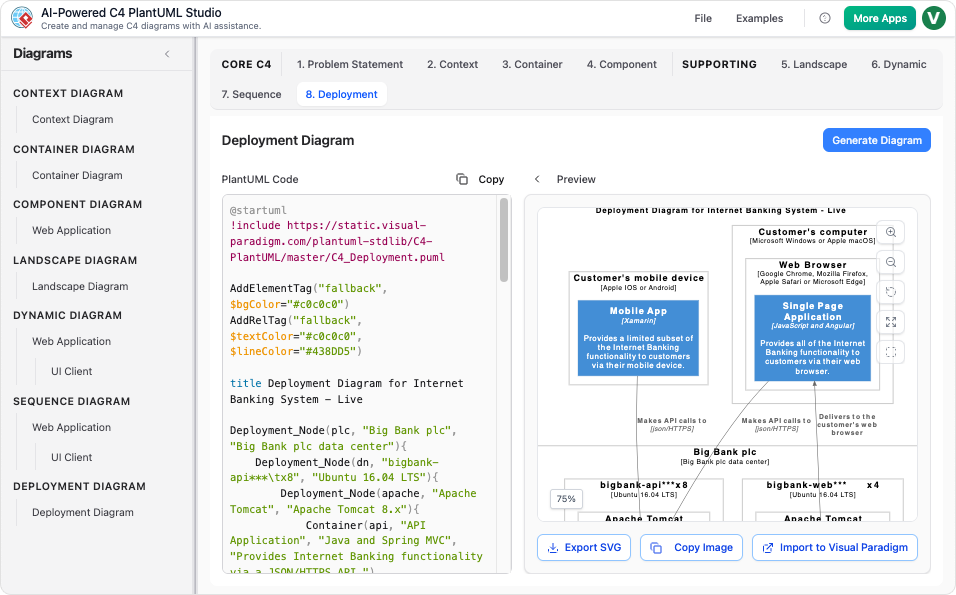
This comprehensive guide explores how this tool leverages Generative AI and the C4 Model to revolutionize how we document software.
Before diving into the tool’s capabilities, it is essential to understand the foundational technologies that power it.
The AI-Powered C4 PlantUML Studio is an intuitive online platform built specifically for software architects, product managers, and developers. It moves beyond simple drag-and-drop drawing by combining the structural clarity of the C4 Model with the speed of Artificial Intelligence.
Its primary goal is to eliminate the friction associated with manual PlantUML coding. Instead of memorizing complex syntax or manually aligning boxes, users can focus on the architecture itself. The tool allows you to document your system from a high-level System Context view down to detailed Component views, ensuring consistency across your project documentation.
Visual Paradigm AI (VP AI) serves as the core engine behind this tool, fundamentally changing the workflow of architectural diagramming. Here is how VP AI enhances the process:
One of the steepest learning curves with PlantUML is mastering the syntax. VP AI removes this barrier entirely. By interpreting natural language descriptions, the AI generates valid, complex PlantUML code instantly. This means an architect can type “A banking system connecting to a mainframe via API,” and the AI renders the correct definition lines, relationships, and styling.
Unlike basic text generators, VP AI is tuned for architectural context. It understands the hierarchy of the C4 model. When you describe a “Microservice,” the AI knows to place it within a “Container” and can suggest potential “Components” that belong inside it, ensuring semantic accuracy in your diagrams.
Staring at a blank page is difficult. VP AI can draft your initial Problem Statement and System Context based on a simple project name or brief keyword input. This provides a strong, consistent starting point for your documentation.
The tool is designed around three pillars: Automation, Integration, and Clarity.
The tool employs a robust AI engine to draft content. Whether you need a high-level system overview or a specific problem statement, the AI provides a solid draft that you can refine, saving hours of manual writing.
Consistency is key in the C4 model. This tool enforces the correct flow:
Architecture is collaborative. The tool supports:
To illustrate the power of the AI-Powered C4 PlantUML Studio, let’s look at a practical scenario.
User Input: “I need a System Context diagram for an ‘Online Bookstore’. The bookstore system sends email notifications to customers using an external ‘Email Service’ and processes payments using ‘Stripe’.”
The AI would instantly generate the following PlantUML code and render the corresponding visual:
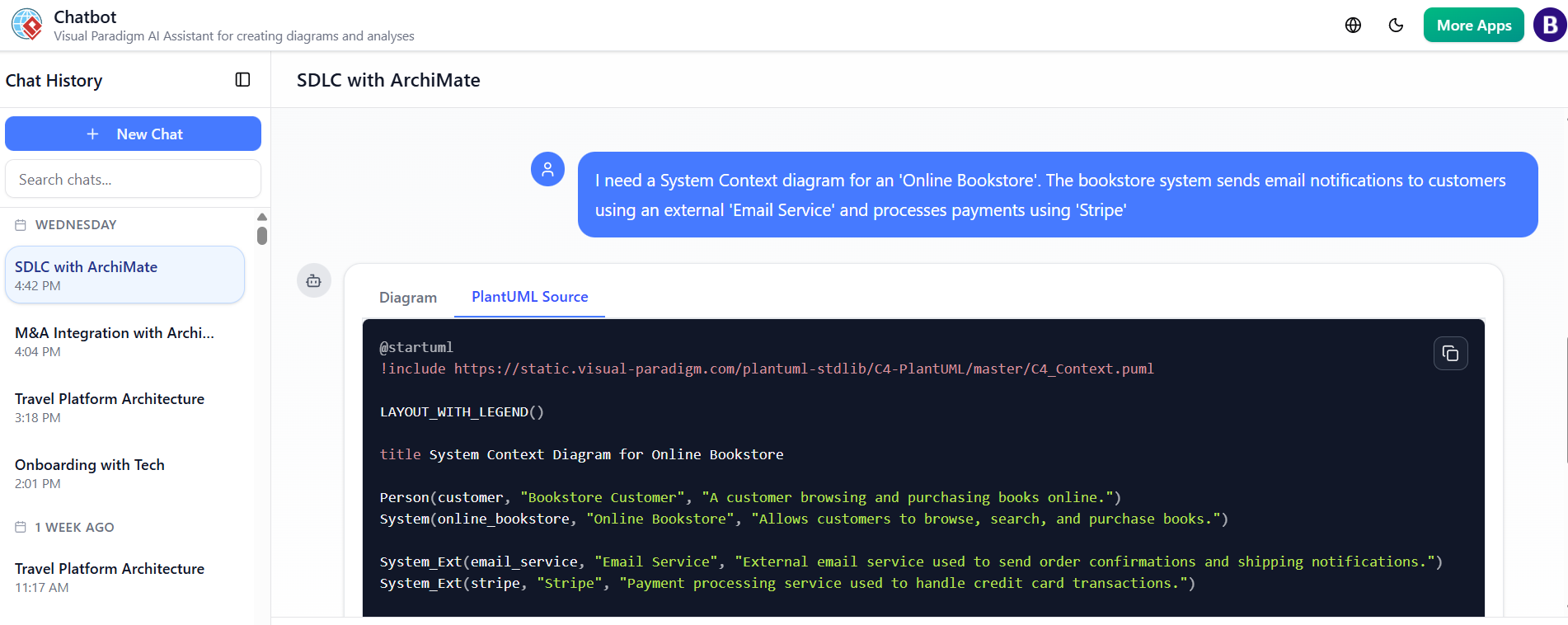
Visual Result: A professional diagram showing the Customer triggering the Bookstore, which in turn relies on the Email Service and Stripe. The user did not need to know the
Rel()orSystem_Ext()syntax; the AI handled it.
The AI-Powered C4 PlantUML Studio represents a significant leap forward in documentation efficiency. By automating the tedious aspects of diagramming and enforcing the structural rigor of the C4 model, it empowers teams to turn ideas into architecture in minutes. Whether you are a seasoned architect or a developer taking on design responsibilities, this tool ensures your diagrams are clear, standardized, and always up to date.