 Visual Paradigm Desktop |
  Visual Paradigm Online


In the rapidly evolving landscape of modern software engineering and Enterprise Architecture (EA), clarity is paramount. As organizations grow in complexity, the need to visualize relationships within and across business domains becomes critical. ArchiMate has emerged as the specialized language for this purpose, offering a structured approach to describing and analyzing these relationships. However, for many professionals, traditional manual modeling has long been a labor-intensive chore—often feeling like navigating a “maze without a map.”
This comprehensive guide explores the core principles of ArchiMate, the challenges of traditional modeling, and how Visual Paradigm AI is transforming the discipline from a manual drafting exercise into a high-speed engine for architectural success.
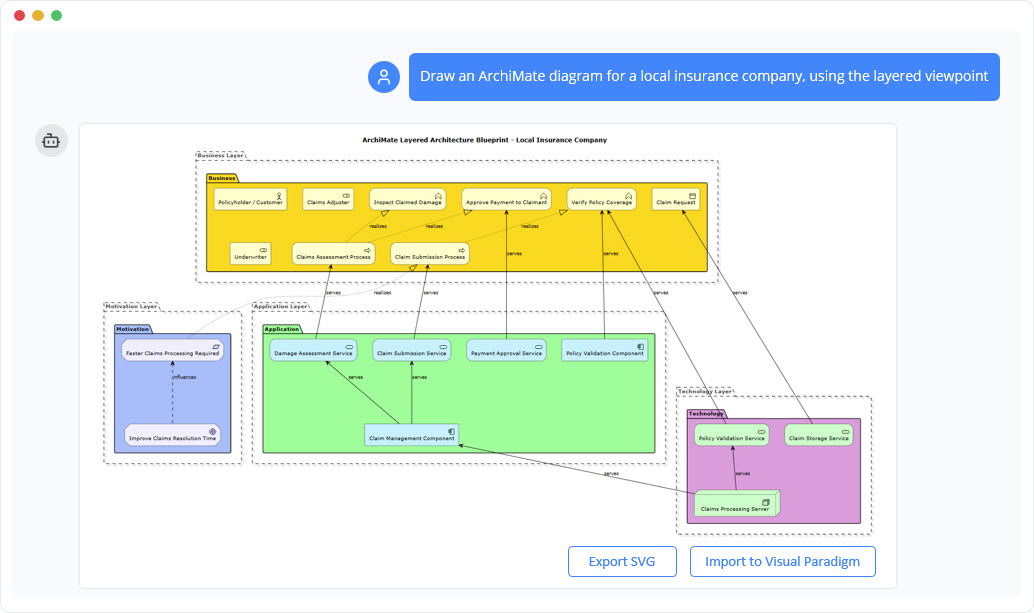
ArchiMate serves as the bridge between abstract business goals and concrete technical implementations. To manage complexity, the standard is organized into distinct layers, each catering to specific stakeholders and objectives.
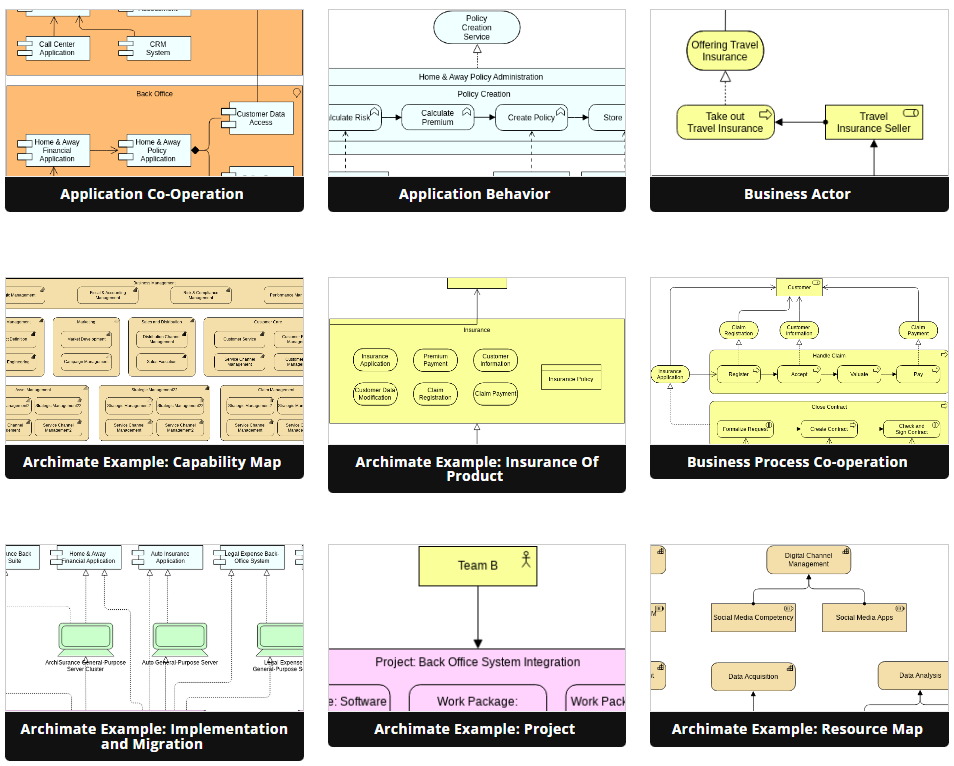
Beyond layers, the platform supports over 20 specific viewpoints. These allow architects to create specialized slices of the architecture that cater to different stakeholders. A viewpoint can range from a high-level strategic landscape designed for C-level executives to a detailed component view intended for software developers.
Despite its utility, traditional modeling is often compared to “hand-chiseling a marble statue.” Every stroke requires intense focus, and mistakes are costly to rectify. Several factors contribute to this steep learning curve:
The TOGAF Architecture Development Method (ADM) represents the industry standard for the EA process. Designing within this framework requires a systematic transition from abstract business strategy to technical realization. Effective execution of TOGAF ADM involves identifying candidate domain classes, attributes, and relationships directly from unstructured problem descriptions. This process ensures that the visual blueprint is rooted in actual requirements before it is finalized.\
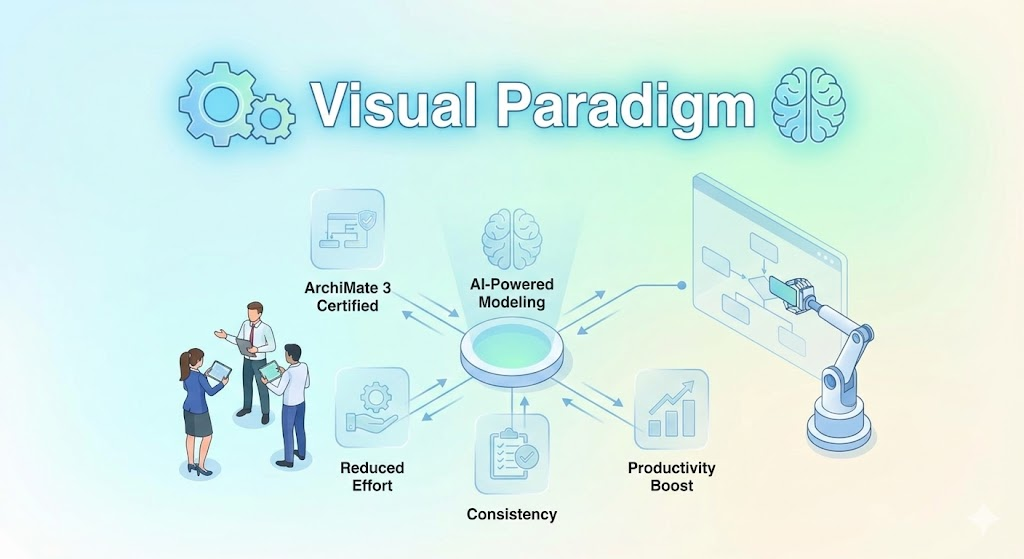
Visual Paradigm AI fundamentally shifts the modeling paradigm from manual drawing to linguistic articulation. By allowing architects to describe systems in plain English, the AI acts as an accelerator, producing technically sound models in seconds. Below is a step-by-step workflow for leveraging this technology.
The process begins with the AI Chatbot. Instead of dragging and dropping shapes, you describe your system vision. For example, a user might prompt: “Create an ArchiMate model for a fintech loan system aligning business goals with AWS cloud infrastructure.” The AI interprets this request and instantly generates a standardized, professional model, effectively eliminating the “blank canvas” problem.
To ensure accuracy, architects can use the AI-Powered Textual Analysis tool. By pasting unstructured project descriptions or requirements documents into the tool, the AI automatically extracts candidate classes, actors, and relationships. These are presented in a table for review, ensuring that no critical logic is missed before the diagram is rendered.
Unlike generic Large Language Models (LLMs) that often require regenerating an entire image for a small change, Visual Paradigm maintains a persistent visual structure. Users can command the chatbot to make specific iterations, such as “add a two-factor authentication step” or “rename this actor.” The AI updates the diagram immediately while preserving the layout integrity, allowing for a conversational design process.
Once the AI-generated “mock” is ready, it can be imported into Visual Paradigm Desktop or Online. This environment allows for advanced editing, versioning, and code engineering. Features such as database generation or Hibernate ORM integration ensure that the visual model is not just a picture, but a functional blueprint that drives implementation.
By leveraging an integrated AI ecosystem, enterprise architects can avoid the pitfalls of creating “pretty sketches” that violate technical rules. The difference lies in the tool’s understanding of structure.
If a general AI is like a talented sketch artist who can draw anything you describe but might forget the load-bearing walls, Visual Paradigm AI is like an architect with a CAD system. It understands the building codes and modeling standards, ensuring that your strategic blueprint is technically sound, compliant, and ready for construction.
AI-Powered Visual Modeling and Design Solutions by Visual Paradigm: Explore cutting-edge AI-driven tools for visual modeling, diagramming, and software design, enabling faster, smarter development workflows.
Visual Paradigm – All-in-One Visual Development Platform: A comprehensive platform for visual modeling, software design, business process modeling, and AI-powered development tools.
AI Chatbot Feature – Intelligent Assistance for Visual Paradigm Users: Leverage AI-powered chatbot functionality to get instant guidance, automate tasks, and enhance productivity within Visual Paradigm.
Visual Paradigm Chat – AI-Powered Interactive Design Assistant: An interactive AI chat interface that helps users generate diagrams, write code, and solve design challenges in real time.
AI Textual Analysis – Transform Text into Visual Models Automatically: Use AI to analyze text documents and automatically generate diagrams such as UML, BPMN, and ERD for faster modeling and documentation.
Visual Paradigm AI Chatbot Enhances Multi-Language Support …: 7 hours ago · Discover the latest updates to Visual Paradigm ‘s AI -Powered visual modeling software, including multi-language UI and improved chat content localization. Experience seamless AI diagram generation in languages like Spanish, French, Chinese, and more with our AI chatbot for UML and other diagrams.
AI -Powered BI Analytics by Visual Paradigm – ArchiMetric: Get started in under a minute at ai . visual – paradigm .com/tool/ ai -powered-bi-analytics. No installation, no signup required for most features.
VisualParadigm – YouTube: Videos shows how Visual Paradigm products in Action and some knowledge about software design, business process modeling and enterprise architecture.
Discover the Power of Visual Paradigm ’s AI -Powered… – Visualize AI: While tools like Google’s AI Image Translator (via Google Lens and Google Translate) offer convenience, Visual Paradigm ’s AI -Powered Image Translator takes the lead with…
AI Chatbot for Diagramming: How It Works with Visual Paradigm: The Visual Paradigm AI chatbot is an AI -powered modeling assistant that turns natural language into diagrams. It doesn’t require users to learn specific modeling standards or syntax.
Free Online Class Diagram Tool – Create UML Class Diagrams Instantly: A free, web-based tool that enables users to create professional UML class diagrams quickly and easily without installation.
Complete UML Class Diagram Tutorial for Beginners and Experts: A step-by-step tutorial that walks users through creating and understanding UML class diagrams, ideal for learning software modeling.
What Is a Class Diagram? – A Beginner’s Guide to UML Modeling: An informative overview explaining the purpose, components, and importance of class diagrams in software development and system design.
How to Draw Class Diagrams in Visual Paradigm – User Guide: A detailed user guide explaining the step-by-step process of creating class diagrams using the Visual Paradigm software platform.
Free Class Diagram Templates – Start Designing with Pre-Made Examples: A collection of ready-to-use class diagram templates to accelerate your modeling process and inspire effective design.
Online Class Diagram Software: Make Class Diagram online. Visual Paradigm’s web Class Diagram tool is fast, easy-to-use and intuitive. Start with a FREE account today! No Download Needed.
Class Diagram – UML Diagrams – Unified Modeling Language Tool: Class Diagram provides an overview of the target system by describing the objects and classes inside the system and the relationships between them . It provides a wide variety of usages; from modeling the domain-specific data structure to detailed design of the target system.
Class Diagram Tutorial: Complete Class Diagram Tutorial that helps you learn about What is a Class Diagram, How to create Class Diagram and when. Class Diagram examples, Class Diagram tips are covered.
Unified Modeling Language (UML) Diagrams – GeeksforGeeks: August 28, 2025 – Structural UML diagrams are visual representations that depict the static aspects of a system, including its classes, objects, components, and their relationships, providing a clear view of the system’s architecture .
Learning Class Diagrams with Visual Paradigm – ArchiMetric: August 23, 2024 – Class diagrams are a vital tool for modeling the structure of a system in object-oriented design. Visual Paradigm provides an easy-to-use platform for creating and managing class diagrams , making it an excellent choice for software developers …
AI Brainstorming Features – Visual Paradigm: Discover how Visual Paradigm’s AI-powered brainstorming tools enhance idea generation with intelligent suggestions and collaborative workflows.