 Visual Paradigm Desktop |
  Visual Paradigm Online


In the modern digital economy, understanding the end-to-end user experience is no longer a luxury—it is a necessity. The Customer Journey Canvas is a strategic tool designed to map the entire lifecycle of a user’s interaction with a product or service. By visualizing key stages, emotions, and touchpoints, organizations can identify friction points and uncover opportunities for innovation.
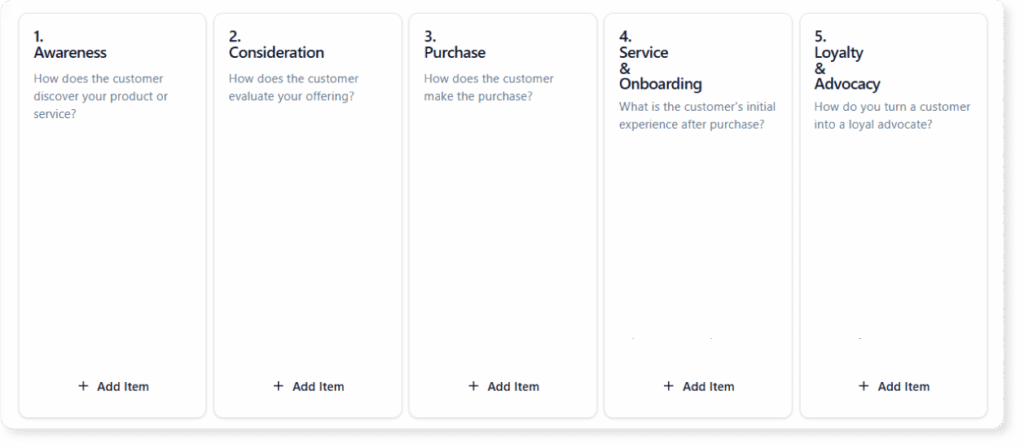
This guide provides a comprehensive tutorial on utilizing the Customer Journey Canvas, integrating traditional methodology with advanced AI tools to streamline the process.
Before diving into the mechanics of mapping, it is essential to define the core components that constitute a robust Customer Journey Canvas.
While traditional journey mapping requires hours of brainstorming and manual sticky-note arrangement, Visual Paradigm’s AI-powered tools offer a smarter, data-driven approach to strategy. By leveraging the AI Model Canvas, teams can significantly reduce the time spent on initial drafting and focus more on strategic analysis.
Starting from a blank slate is often the hardest part of the process. Visual Paradigm allows users to simply describe a user scenario—for example, “The journey of booking a vacation rental online”—and the AI will automatically generate a plausible customer journey. This includes populating the canvas with relevant touchpoints, specific actions, and anticipated emotions for each stage, providing an instant baseline to refine.
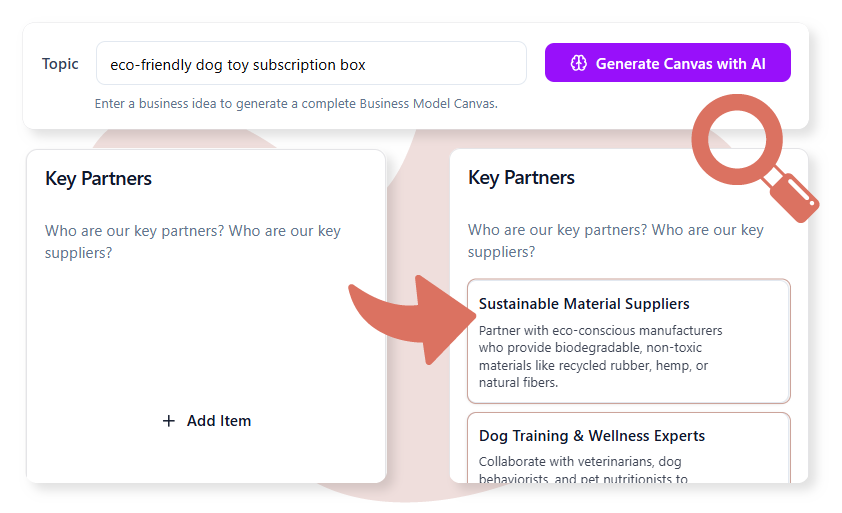
When mapping complex journeys, you may encounter knowledge gaps. If you are unsure what typically happens during the Loyalty or Retention stages, the AI can suggest common retention tactics and advocacy loops tailored to your specific business type. This acts as an intelligent brainstorming partner to ensure no stage is overlooked.
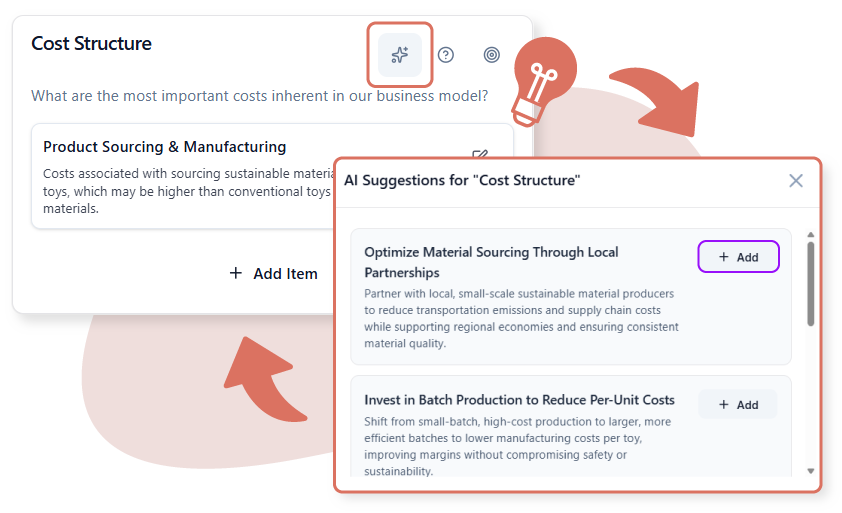
Beyond creation, the AI provides analytical value. The Friction Point Identifier automatically scans your canvas to pinpoint stages with the highest density of pain points and negative emotions. This allows teams to prioritize which areas of the user experience require immediate intervention without manually sifting through every data point.
Follow this structured approach to build an effective Customer Journey Canvas, whether you are using manual tools or AI assistance.
Begin by clearly defining whose journey you are mapping. Avoid generic “user” labels. Instead, be specific (e.g., “A busy team lead signing up for new project management software“). Determine the start and end points of the journey, such as from the moment they realize they have a problem to their first successful use of your product.
Break the timeline into high-level phases. A standard framework includes:
For each stage, list the specific actions the user takes. Connect these actions to touchpoints. For instance, in the Consideration stage, an action might be “Reading reviews,” and the touchpoint would be “Third-party review site” or “Social Media.”
This is the critical empathetic step. For every action, ask: “How does the user feel here?” Use a graph or color-coding to visualize the emotional highs and lows. Identify where the line dips into negative territory—these are your critical pain points that need solving.
Look at the pain points and brainstorming solutions. If the “Sign Up” phase causes frustration due to a complex form, the opportunity is to “Simplify registration via Single Sign-On (SSO).”
To better understand how this applies across different industries, consider the following scenarios where the Customer Journey Canvas provides clarity.
Context: A family booking a vacation rental.
Key Insight: The journey often begins weeks before the transaction. The Consideration phase is heavy with comparison. Pain points often arise during the filtering of amenities or hidden fees at checkout.
Goal: streamline the search filters and ensure price transparency to maintain positive emotion through to booking.
Context: A team lead signing up for a SaaS project management tool.
Key Insight: The Decision phase involves not just the user, but potentially their stakeholders (IT approval, budget approval).
Goal: Provide downloadable PDFs or ROI calculators in the Consideration stage to help the champion sell the tool internally.
Context: A patient’s first visit to a new clinic.
Key Insight: High anxiety usually accompanies the Awareness and Arrival stages. The journey doesn’t end when they leave; the Post-Visit follow-up is crucial for retention.
Goal: Improve the appointment reminder system and digital check-in to reduce anxiety prior to arrival.
Optimize your mapping process with these practical tips tailored for the Visual Paradigm environment and general best practices.