Visual Paradigm Desktop |
  Visual Paradigm Online


In the modern business landscape, agility and clarity are paramount. Whether you are launching a startup or refining the strategy of an established enterprise, the ability to visualize your business model on a single page is invaluable. This is where the Business Model Canvas (BMC) excels. However, moving from a static paper model to a dynamic, digital strategy requires the right tools.
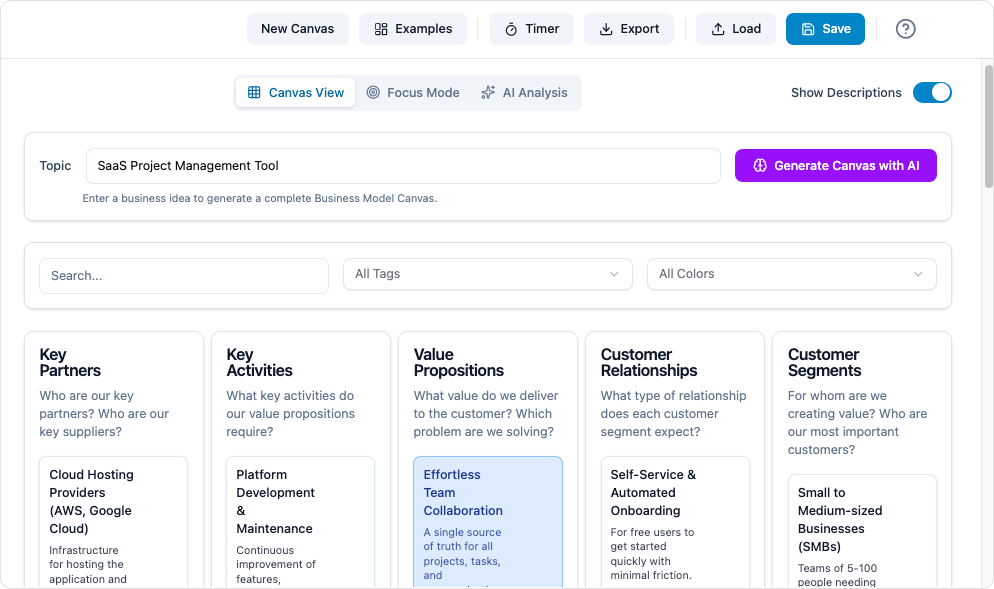
Visual Paradigm’s AI-powered modeling software elevates the traditional BMC by integrating artificial intelligence, real-time collaboration, and seamless reporting. This tutorial will guide you through understanding the framework, leveraging AI tools to populate it, and refining your business strategy for maximum impact.
Before diving into the tool, it is essential to understand the foundational definitions that make up the Business Model Canvas.
A Business Model Canvas is a strategic management template used for developing new business models or documenting existing ones. It is a visual chart with elements describing a firm’s or product’s value proposition, infrastructure, customers, and finances. Unlike a traditional 50-page business plan, the BMC provides a holistic, one-page overview that fosters quick iteration and alignment.
The framework consists of nine interconnected building blocks that cover the four main areas of business: customers, offer, infrastructure, and financial viability.
Follow these steps to create a comprehensive Business Model Canvas using Visual Paradigm’s AI tools. This workflow moves from initialization to actionable reporting.
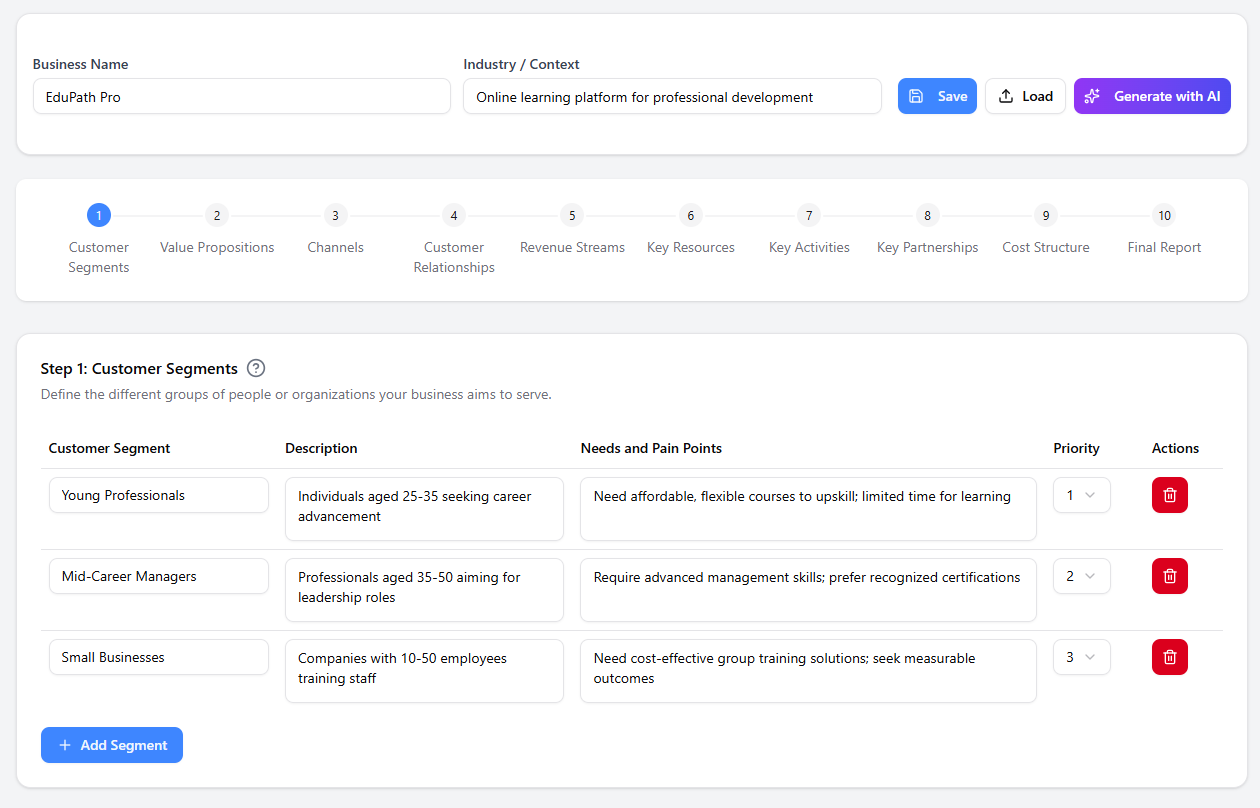
Depending on your setup, there are two ways to launch the AI Business Model Canvas:
Before populating the blocks, you must define the context. The AI needs a baseline to generate relevant suggestions.
Visual Paradigm’s builder creates a guided path. Do not try to fill the canvas randomly; follow the logical flow, usually starting with Customer Segments and Value Propositions.
Once the blocks are filled, use the tool to visualize connections. For example, ensure every Value Proposition has a corresponding Revenue Stream and Customer Segment.
A BMC is meant to be shared. Use the reporting feature to transform your visual canvas into a professional document.
To illustrate how to translate a business idea into the canvas blocks, let us look at a hypothetical scenario for a Subscription-Based Meal Kit Service.
| Building Block | Example Content |
|---|---|
| Customer Segments | Busy professionals, health-conscious families, amateur cooks wanting to learn. |
| Value Propositions | Convenience (time-saving), healthy ingredients, waste reduction, culinary education. |
| Channels | Social media ads, influencer marketing, website/app, direct mail. |
| Revenue Streams | Monthly subscription fees, add-on purchases (wine, dessert), premium recipe upgrades. |
| Key Resources | Cold chain logistics network, recipe database, supplier contracts, software platform. |
Note how the Value Proposition of “Convenience” directly supports the Customer Segment of “Busy Professionals,” while “Cold Chain Logistics” is a Key Resource required to deliver that value via the defined Channels.
Optimize your workflow with these best practices when using Visual Paradigm.
The Business Model Canvas should not exist in a vacuum. Because Visual Paradigm supports various modeling standards, you can link elements of your BMC to other diagrams:
Don’t just build one model. Use the AI capabilities to duplicate your canvas and test different strategies. For instance, ask the AI: “How would this model change if we shifted from a subscription model to a freemium model?” This allows you to visualize the ripple effects on Revenue Streams and Cost Structures instantly.
A common mistake is creating a BMC once and archiving it. Schedule quarterly reviews where the team revisits the canvas. The digital nature of the tool allows for real-time updates without starting from scratch.
Utilize the cloud-based features to invite team members to the canvas. Use the commenting feature to debate specific blocks (e.g., “Are we sure this is a Key Partner or just a vendor?”) directly on the diagram, ensuring all strategic discussions are captured in context.